

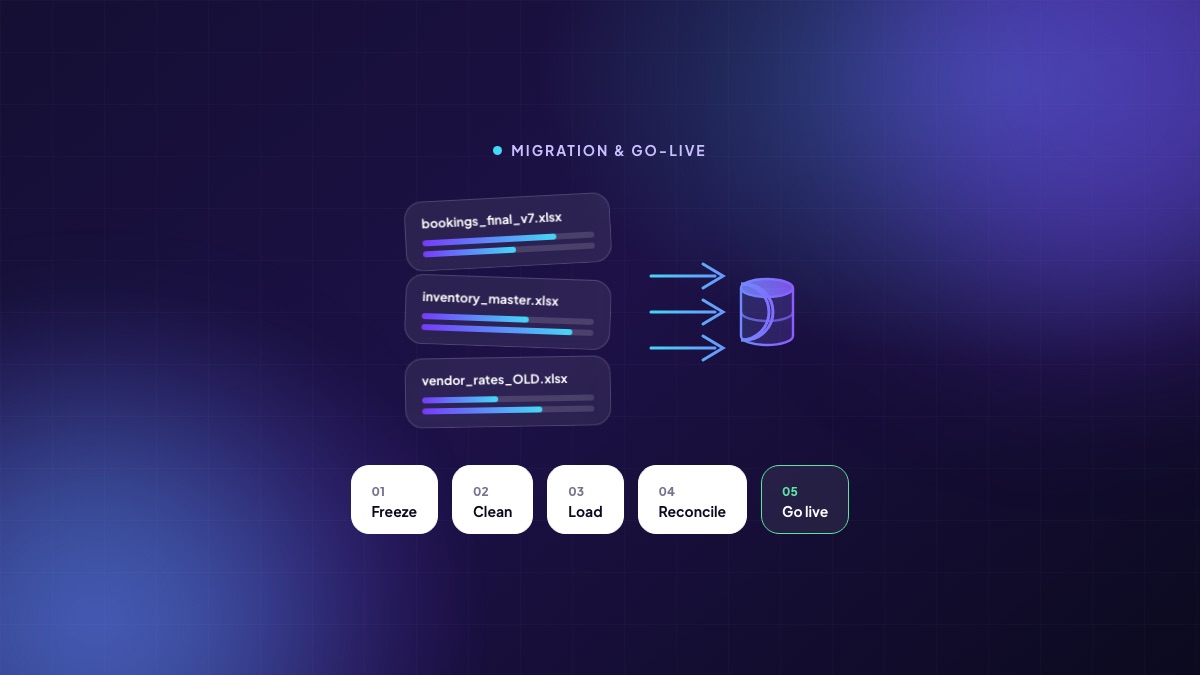
Software projects in property rarely fail during selection. They fail in the six weeks when the old data meets the new system and it turns out that nobody in the organisation agreed what a booking is. Migration is where an implementation is actually won or lost, and it is almost always under-planned, because it looks like a technical task and is really an organisational one.
Why property data is harder than it looks
A developer's operating history usually lives in a set of files that grew organically, each internally consistent and mutually contradictory. The sales sheet has 412 bookings; finance has 396 receivables; the site office's inventory master has 405 units marked sold. Nobody is wrong. They are counting different things because “booked” means provisional to one team, approved to another and registered to a third.
You cannot migrate your way past that. The definitions have to be settled first, in a room, by people with the authority to settle them. Every hour spent there saves several later.
Decide what moves and what stays
The instinct is to bring everything. Resist it. Migrating a decade of history multiplies the cleansing effort and imports every bad habit you are trying to leave behind. A workable default:
| Bring across | Leave behind (archive it) |
|---|---|
| All masters: projects, towers, units, price lists, vendors, products, employees | Superseded price lists and obsolete vendor records |
| Every live booking with its full ledger, whatever its age | Cancelled bookings older than the statutory retention need |
| Open receivables and the payment schedule behind them | Fully settled bookings from closed projects |
| The open sales pipeline, roughly the last twelve months | Dead enquiries older than a year |
| Open purchase orders, GRNs pending, unpaid vendor bills | Closed purchase history beyond the current financial year |
| Current project budgets and committed spend | Completed project cost detail (keep summary only) |
Archived data is not lost data. Keep the files, keep them readable, and record where they are. What you are avoiding is the obligation to make them consistent.
The five steps, in order
1. Freeze
Name a cut-off date and hold it. From that date, masters stop changing in the old files. Transactions continue, but they are captured in a defined way you can replay. Migrations that run against a moving target never converge, and the team loses faith in the numbers long before go-live.
2. Clean
This is the longest step and the one people try to skip. It is owned by the business, not by the vendor, because only the business can decide which of two customer records is real. The recurring problems are the same everywhere: duplicate customers created by variant spellings, phone numbers with country codes applied inconsistently, unit names that differ between the sales sheet and the drawing, vendors registered three times, and amounts stored as text.
Do the cleansing in the extract, not in the target system. It is faster, it is reversible, and it keeps the audit of what changed in one place.
3. Load
Load in dependency order — masters first, then opening balances, then transactions — and load into a test environment first, always. Expect to do it three times: once to discover what breaks, once to verify the fixes, once for real. Anyone promising a single load has not done many.
4. Reconcile
This is the step that earns trust, and it is non-negotiable. Before go-live, five numbers must match the old world exactly, and be signed off by the person who owns them:
- Unit count by status, per project — owned by sales.
- Total receivable, and its ageing profile — owned by finance.
- Total collected, per project, for the current financial year — owned by finance.
- Open purchase order value and pending GRN quantity — owned by procurement.
- Headcount and current-month payroll gross — owned by HR.
If a number does not match, do not proceed on the assumption that it will resolve itself. It will not, and the first month-end will be spent proving it.
5. Go live
Pick a date that is not a month-end, a quarter-end, a launch or a festival week. Run the old and new systems in parallel for a short, defined period — two weeks is usually right, four is usually the maximum before the team quietly picks one and abandons the other. Announce the date the parallel run ends, and hold it.
The part that has nothing to do with data
Every implementation has someone who does not want it, and they are usually right about something. The executive who insists the spreadsheet is faster is often correct for their specific task, and that is information about your configuration, not an attitude problem.
Three things consistently help. Train by role and by task, not by module — “how you book a unit” rather than “the sales module”. Name a super-user inside each function who is a colleague rather than a consultant. And take away the alternative on the agreed date; a parallel spreadsheet tolerated indefinitely is the single most reliable way to lose an implementation.
A timeline that holds up
- Weeks 1–2 — definitions and scope. Settle what a booking, a lead and a project mean. Agree what migrates.
- Weeks 2–4 — configuration. Masters, pricing rules, payment plans, approval matrices, document templates, numbering series, roles.
- Weeks 3–6 — extract and clean. Runs in parallel with configuration and is owned by the business.
- Weeks 5–7 — trial loads and reconciliation. Three passes, with the five numbers signed off on the last one.
- Weeks 6–8 — training and cut-over. Role-based training close to go-live, then the parallel run and a defined end to it.
Six to eight weeks is realistic for the revenue side of a mid-sized developer. Anyone quoting two has not seen your spreadsheets, and anyone quoting six months is proposing to solve every problem you have at once. Do the sales side first, get it clean, and add projects, procurement and finance against masters that are already trusted.
Written by the Teczen team. If you want to talk through how any of this applies to your projects, book a working session — no slides.